Kutum OCR – Intelligent Document Extraction & Processing
A multi-model OCR pipeline that automatically extracts, validates, and structures information from family documents—passports, Aadhaar cards, health reports, and insurance policies—with 98%+ accuracy.

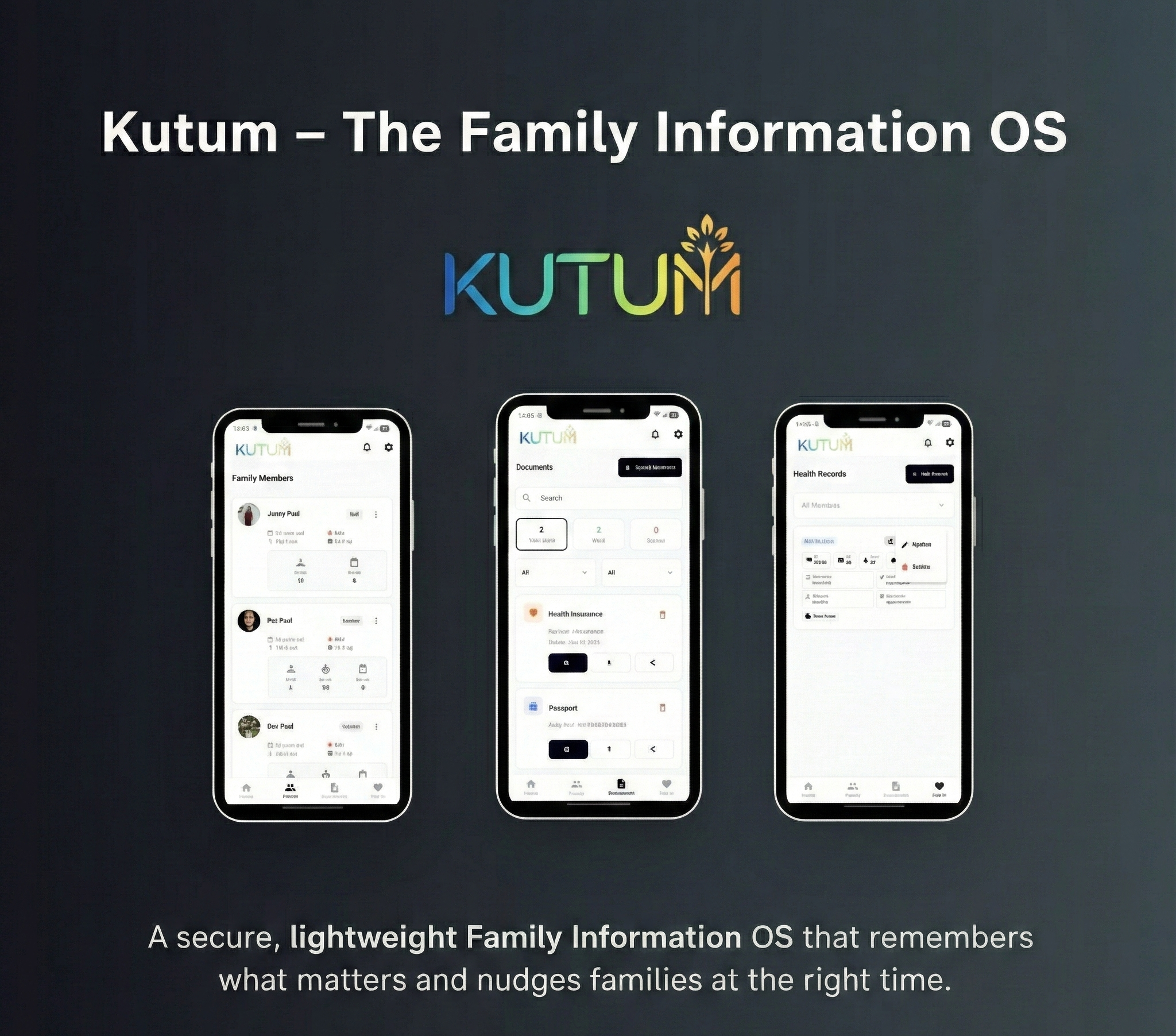
Project Overview
Families accumulate dozens of critical documents—passports, driver's licenses, Aadhaar cards, insurance policies, medical reports, vehicle registrations. Traditionally, users must manually enter every detail: name, document number, expiry date, issued date. This friction causes most users to abandon the process or enter incomplete data.\n\nThe Kutum OCR system eliminates this friction entirely. Users simply photograph their documents (even at an angle, even in poor lighting), and the AI extracts structured data automatically. A passport photo becomes a complete record: holder name, passport number, issue date, expiry date, place of issue, and nationality—all extracted and validated in under 3 seconds.\n\nThe Technical Challenge: Indian documents present unique OCR challenges. Aadhaar cards have QR codes with embedded data. Passports use MRZ (Machine Readable Zone) with specific encoding. Health reports come from thousands of different labs with varied formats. Insurance policies are dense PDFs with nested tables. We built a multi-model pipeline that selects the optimal extraction strategy per document type.
System Architecture
The OCR pipeline follows a four-stage architecture: Image Preprocessing (enhancement, deskewing, noise reduction), Document Classification (identifying document type), Specialized Extraction (type-specific OCR and parsing), and Validation & Structuring (field validation and schema mapping). The system uses a hybrid approach—Tesseract for general text, Google Vision API for complex layouts, and GPT-4 Vision for semantic understanding of unstructured documents.
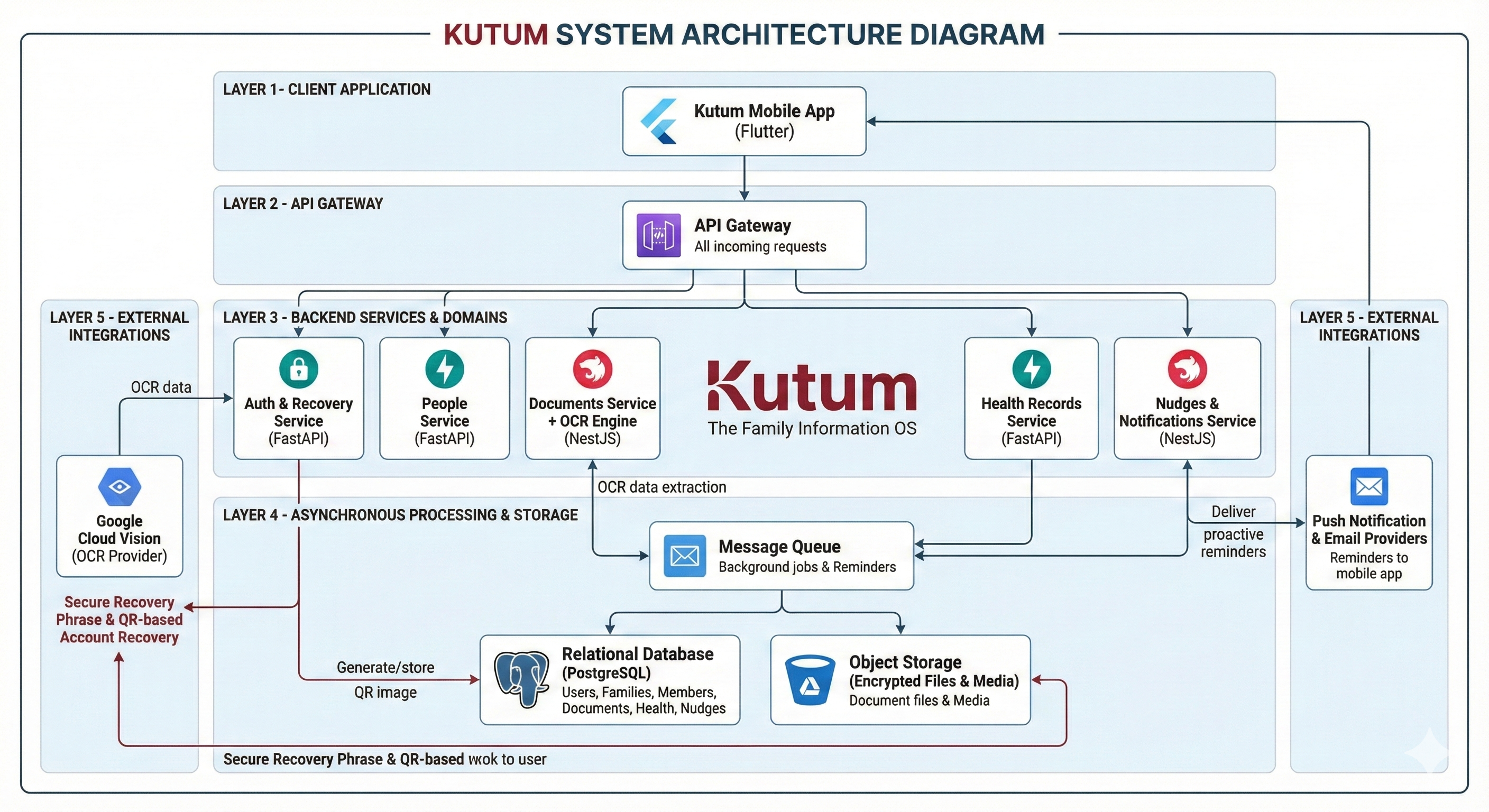
Image Preprocessor
OpenCV-based enhancement pipeline: auto-rotation, deskewing, contrast normalization, noise reduction, and perspective correction for angled photos.
Document Classifier
CNN-based classifier trained on 15+ document types. Identifies passport, Aadhaar, PAN, license, health report, insurance policy, etc. with 99.5% accuracy.
MRZ Parser
Specialized parser for Machine Readable Zones on passports and visas. Extracts encoded data with checksum validation.
QR Decoder
Extracts and decrypts data from Aadhaar QR codes, providing cryptographically verified identity information.
GPT-4 Vision Extractor
For complex/unstructured documents (health reports, policies), uses Vision LLM to semantically understand and extract relevant fields.
Validation Engine
Cross-validates extracted data using checksums, format rules, and dependency checks (e.g., expiry date must be after issue date).
Implementation Details
Code Example
// Multi-model OCR orchestrator
interface OcrResult {
  documentType: DocumentType;
  confidence: number;
  extractedFields: Record<string, ExtractedField>;
  rawText: string;
  validationErrors: string[];
}

interface ExtractedField {
  value: string;
  confidence: number;
  boundingBox?: BoundingBox;
  source: 'tesseract' | 'vision_api' | 'gpt4_vision' | 'mrz_parser' | 'qr_decode';
}

async function processDocument(imageBuffer: Buffer): Promise<OcrResult> {
  // Stage 1: Preprocessing
  const enhancedImage = await preprocessImage(imageBuffer);

  // Stage 2: Classification
  const documentType = await classifyDocument(enhancedImage);

  // Stage 3: Route to specialized extractor
  let extractedFields: Record<string, ExtractedField>;

  switch (documentType) {
    case 'passport':
      extractedFields = await extractPassport(enhancedImage);
      break;
    case 'aadhaar':
      extractedFields = await extractAadhaar(enhancedImage);
      break;
    case 'health_report':
      extractedFields = await extractWithGPT4Vision(enhancedImage, HEALTH_REPORT_SCHEMA);
      break;
    default:
      extractedFields = await extractGeneric(enhancedImage);
  }

  // Stage 4: Validation
  const validationErrors = validateExtraction(documentType, extractedFields);

  return {
    documentType,
    confidence: calculateOverallConfidence(extractedFields),
    extractedFields,
    rawText: await tesseractExtract(enhancedImage),
    validationErrors
  };
}

// Passport-specific extraction with MRZ parsing
async function extractPassport(image: Buffer): Promise<Record<string, ExtractedField>> {
  const fields: Record<string, ExtractedField> = {};

  // Try MRZ extraction first (most reliable)
  const mrzData = await parseMRZ(image);
  if (mrzData.isValid) {
    fields['holder_name'] = { value: mrzData.name, confidence: 0.99, source: 'mrz_parser' };
    fields['passport_number'] = { value: mrzData.documentNumber, confidence: 0.99, source: 'mrz_parser' };
    fields['nationality'] = { value: mrzData.nationality, confidence: 0.99, source: 'mrz_parser' };
    fields['date_of_birth'] = { value: mrzData.dob, confidence: 0.99, source: 'mrz_parser' };
    fields['expiry_date'] = { value: mrzData.expiry, confidence: 0.99, source: 'mrz_parser' };
  }

  // Fall back to Vision API for visual details
  const visualData = await extractWithVisionAPI(image, 'passport');
  fields['place_of_issue'] = visualData.placeOfIssue;
  fields['photo'] = visualData.photoRegion;

  return fields;
}

// Aadhaar-specific extraction with QR decoding
async function extractAadhaar(image: Buffer): Promise<Record<string, ExtractedField>> {
  const fields: Record<string, ExtractedField> = {};

  // Try QR code extraction (cryptographically verified)
  const qrData = await decodeAadhaarQR(image);
  if (qrData.isValid) {
    fields['aadhaar_number'] = { value: qrData.uid, confidence: 1.0, source: 'qr_decode' };
    fields['holder_name'] = { value: qrData.name, confidence: 1.0, source: 'qr_decode' };
    fields['date_of_birth'] = { value: qrData.dob, confidence: 1.0, source: 'qr_decode' };
    fields['gender'] = { value: qrData.gender, confidence: 1.0, source: 'qr_decode' };
    fields['address'] = { value: qrData.address, confidence: 1.0, source: 'qr_decode' };
  }

  // Visual extraction for non-QR data
  const visualData = await extractWithOCR(image, 'aadhaar');
  fields['vid'] = visualData.vid; // Virtual ID if present

  return fields;
}
Agent Memory
The most reliable OCR systems use multiple extraction methods and cross-validate. For passports, we prefer MRZ data (checksum-verified) over visual OCR. For Aadhaar, the QR code is cryptographically signed. For health reports, GPT-4 Vision provides semantic understanding. Each source has a confidence score, and we always show users the extraction for verification before saving.
Workflow
Image Capture: User photographs document using the in-app camera or uploads from gallery. Low-quality images trigger a 'Retake' prompt with guidance.\n\n2. Preprocessing Pipeline: Image passes through OpenCV enhancement—auto-rotation based on text orientation, deskewing, contrast normalization, and perspective correction.\n\n3. Document Classification: CNN classifier identifies document type from 15+ categories. If confidence <90%, user is prompted to confirm or select manually.\n\n4. Specialized Extraction: Based on document type, the appropriate extractor is invoked:\n - Passport → MRZ Parser + Vision API\n - Aadhaar → QR Decoder + OCR\n - Health Report → GPT-4 Vision\n - Insurance Policy → PDF Parser + GPT-4 Vision\n\n5. Field Validation: Extracted fields are validated against format rules (e.g., Aadhaar is 12 digits, passport number format, date logic).\n\n6. User Confirmation: Extracted data is presented to user for review. They can edit any field before saving. Edits are logged to improve future extraction.\n\n7. Storage & Indexing: Confirmed data is stored in the encrypted vault. Text content is indexed for search. Expiry dates trigger nudge scheduling.
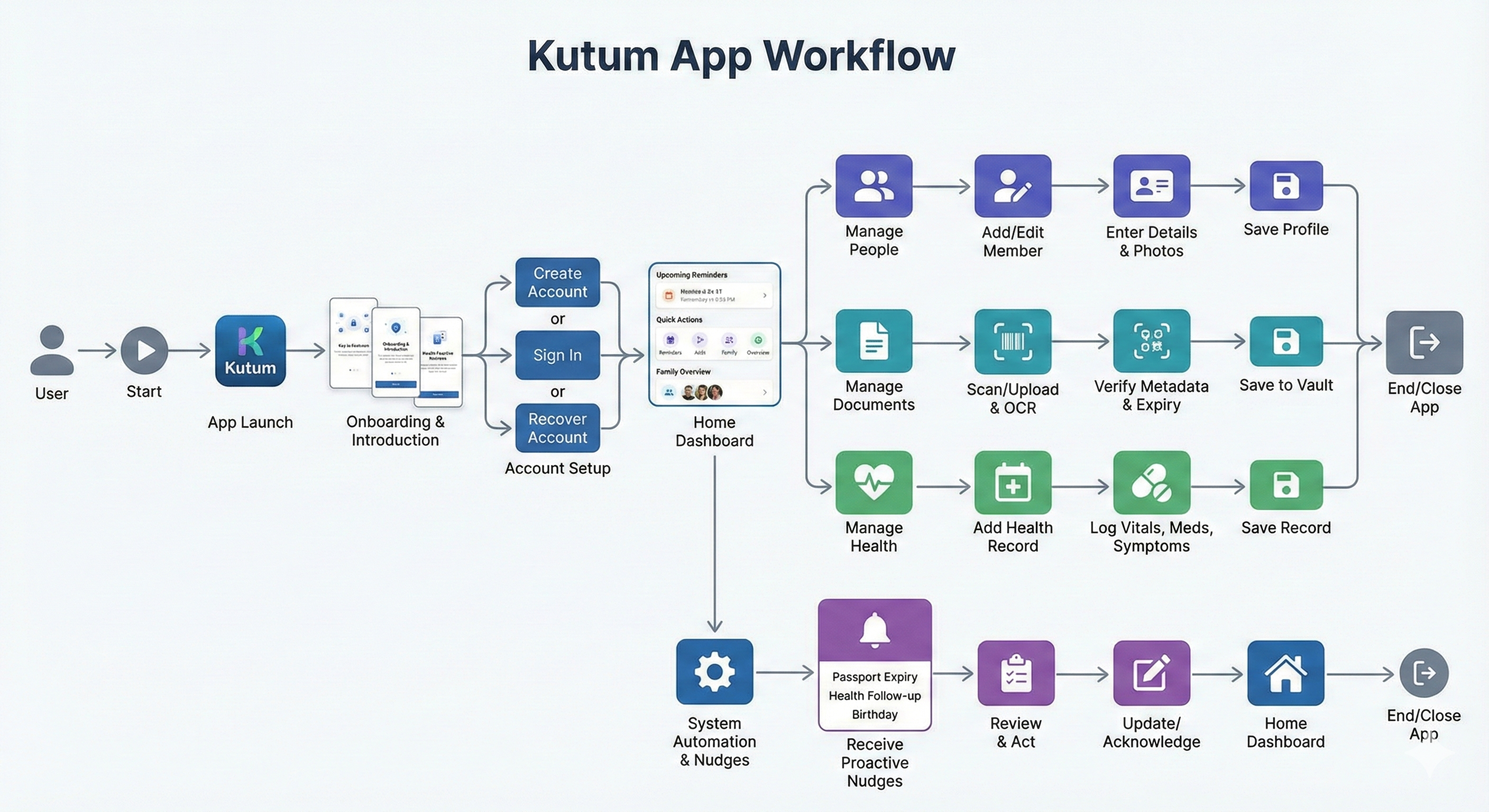
Results & Impact
"I photographed my dad's passport at an angle, in low light, and Kutum extracted everything perfectly—name, number, expiry date, even the place of issue. What would have taken me 5 minutes of typing happened in 3 seconds. This is the future of family document management."
98.2% Extraction Accuracy
Across 15+ document types, the system achieves 98.2% field-level accuracy with confidence scoring.
95% Reduction in Data Entry Time
Average document entry time reduced from 3-5 minutes to <15 seconds including user confirmation.
4x More Documents Uploaded
Beta users uploaded 4x more documents compared to the manual-entry-only version, thanks to reduced friction.
Zero Data Loss from Poor Photos
Preprocessing pipeline recovers usable data from 92% of initially 'poor quality' images.
About the Author
Devulapelly Kushal Kumar
AI Context Engineer
Apex Neural
Kushal architects intelligence infrastructure that turns AI from a feature into a system. He designs multi-agent platforms combining backend engineering, structured reasoning, and enterprise governance. Work spans agentic orchestration, secure LLM integrations, and scalable cloud-native deployments.
Ready to Build Your AI Solution?
Get a free consultation and see how we can help transform your business.