Paralegal AI Assistant
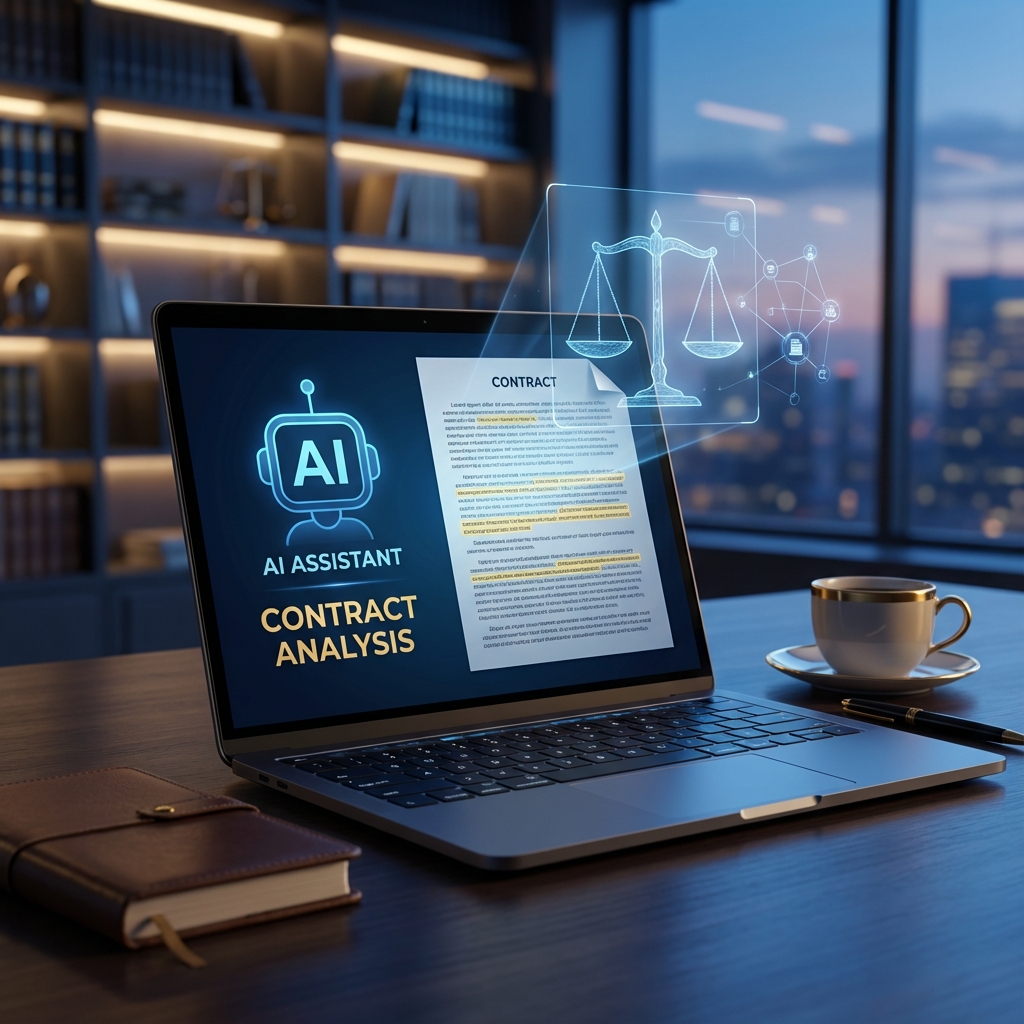
An intelligent legal document assistant that uses RAG (Retrieval-Augmented Generation) to help paralegals and legal professionals query case documents, research precedents, and get instant answers from uploaded legal PDFs.

Project Overview
Legal professionals spend 60% of their time on document review and research. We built an AI assistant that ingests legal PDFs, chunks them intelligently, creates vector embeddings, and allows natural language queries. When documents don't have the answer, it seamlessly falls back to web search for case law and legal precedents.
System Architecture
The system uses a layered architecture with React frontend, FastAPI backend with Apex SaaS Framework for authentication, and a RAG pipeline combining ChromaDB for vector storage, OpenAI for embeddings/LLM, and Firecrawl for web search fallback.
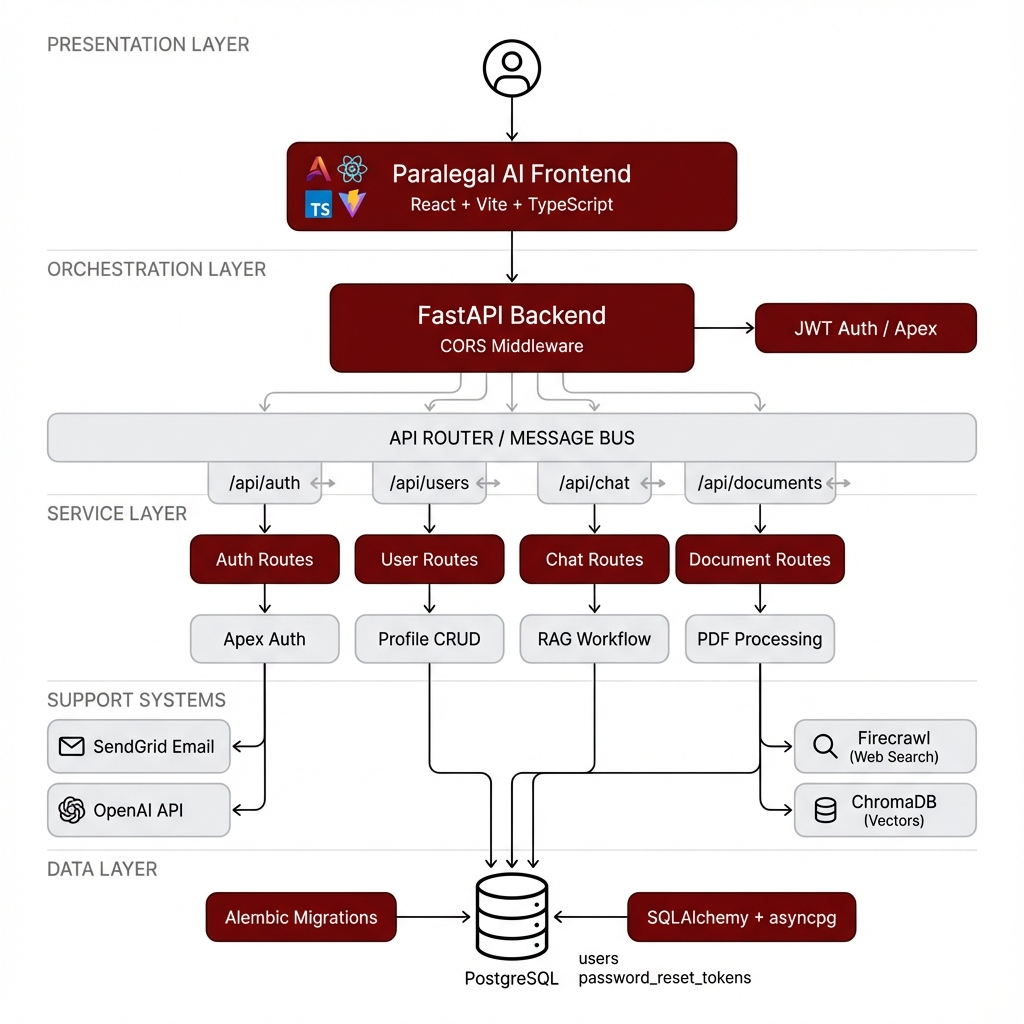
FastAPI Backend
Async Python API with JWT authentication via Apex SaaS Framework
Apex Auth
Complete auth flow: signup, login, forgot/reset/change password
RAG Pipeline
PDF ingestion → chunking → embeddings → ChromaDB vector search
Web Search Fallback
Firecrawl integration for legal precedent research when documents lack answers
Implementation Details
Code Example
from apex.auth import signup, login, forgot_password, reset_password, change_password
from apex import Client, set_default_client, bootstrap

# Initialize Apex with custom User model
apex_client = Client(
    database_url=DATABASE_URL,
    user_model=User,
    secret_key=SECRET_KEY,
)
set_default_client(apex_client)
bootstrap()

# Secure Token Strategy - mint custom JWTs
user = signup(email=email, password=password)
token_data = {"sub": str(user.id), "email": user.email}
access_token = create_access_token(token_data)
Agent Memory
Call nest_asyncio.apply() before importing Apex to prevent 'cannot be called from running event loop' errors. Never use asyncio.to_thread with Apex functions.
Workflow
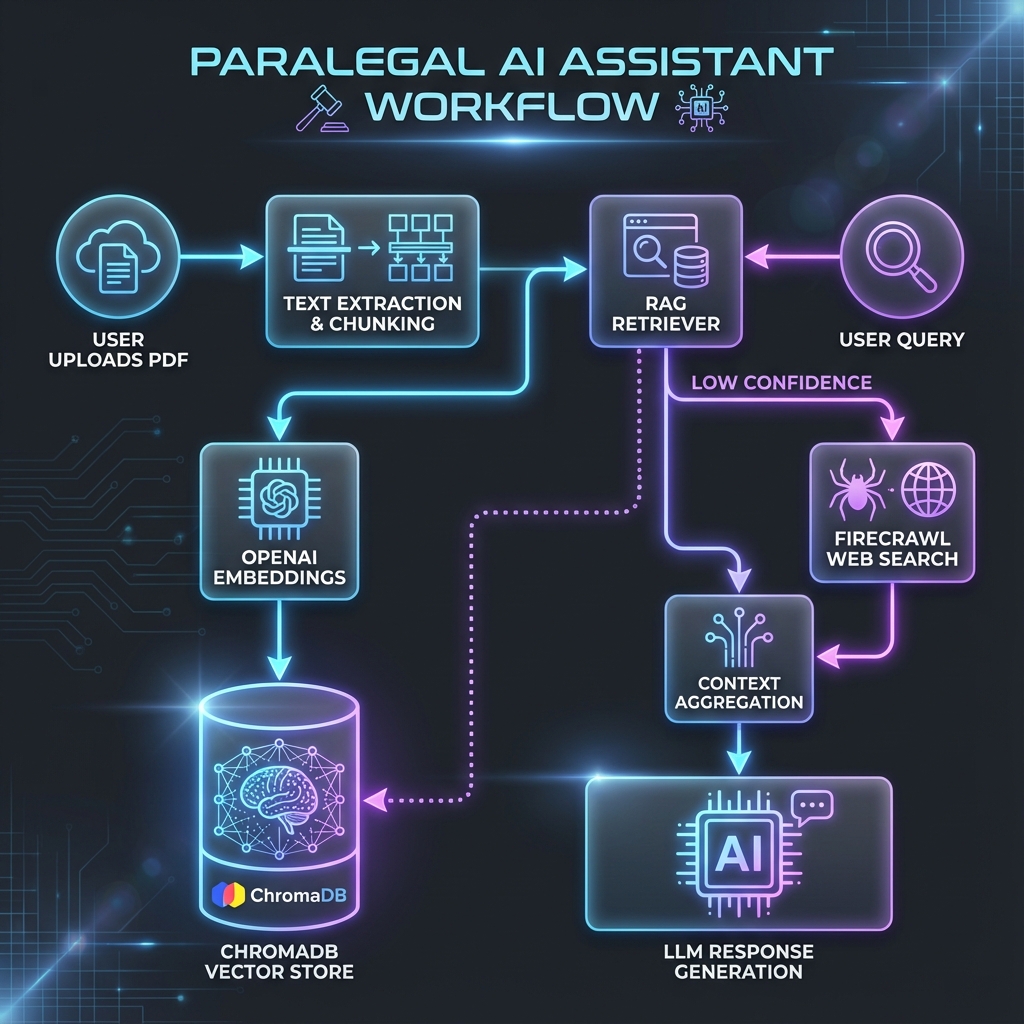
User uploads legal PDF documents
System extracts text and creates 512-word chunks with overlap
Chunks are embedded using OpenAI and stored in ChromaDB
User asks natural language questions
RAG retrieves relevant chunks and generates answers
If confidence is low, Firecrawl searches legal databases
Combined context produces final response
Results & Impact
"What used to take our paralegals 4 hours of manual document review now takes 5 minutes. The AI understands legal context remarkably well."
Speed
Reduced legal research time from hours to seconds
Accuracy
RAG ensures answers are grounded in actual documents
Security
JWT-based auth with Apex SaaS Framework
Scalability
Async FastAPI handles concurrent document queries
About the Author
Rahul Patil
AI Context Engineer
Apex Neural
Rahul engineers context-aware AI systems that improve model reliability and decision quality. He focuses on RAG pipelines, structured prompt flows, and multi-agent orchestration to ensure AI systems are grounded, secure, and production-ready.
Contributors


Ready to Build Your AI Solution?
Get a free consultation and see how we can help transform your business.